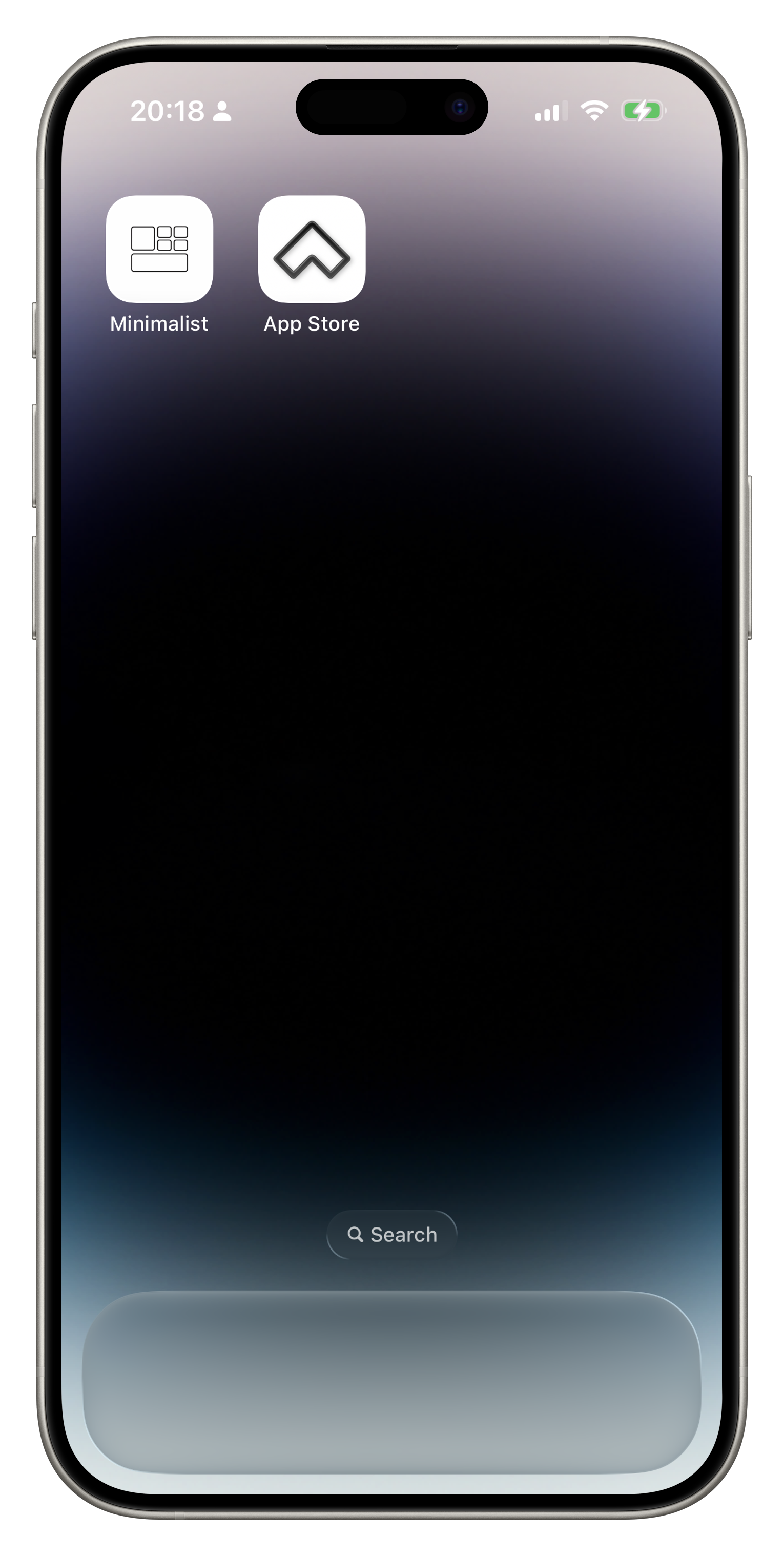
Customize iPhone App Icons
Tutorial
Download theme resources to the Files app
-
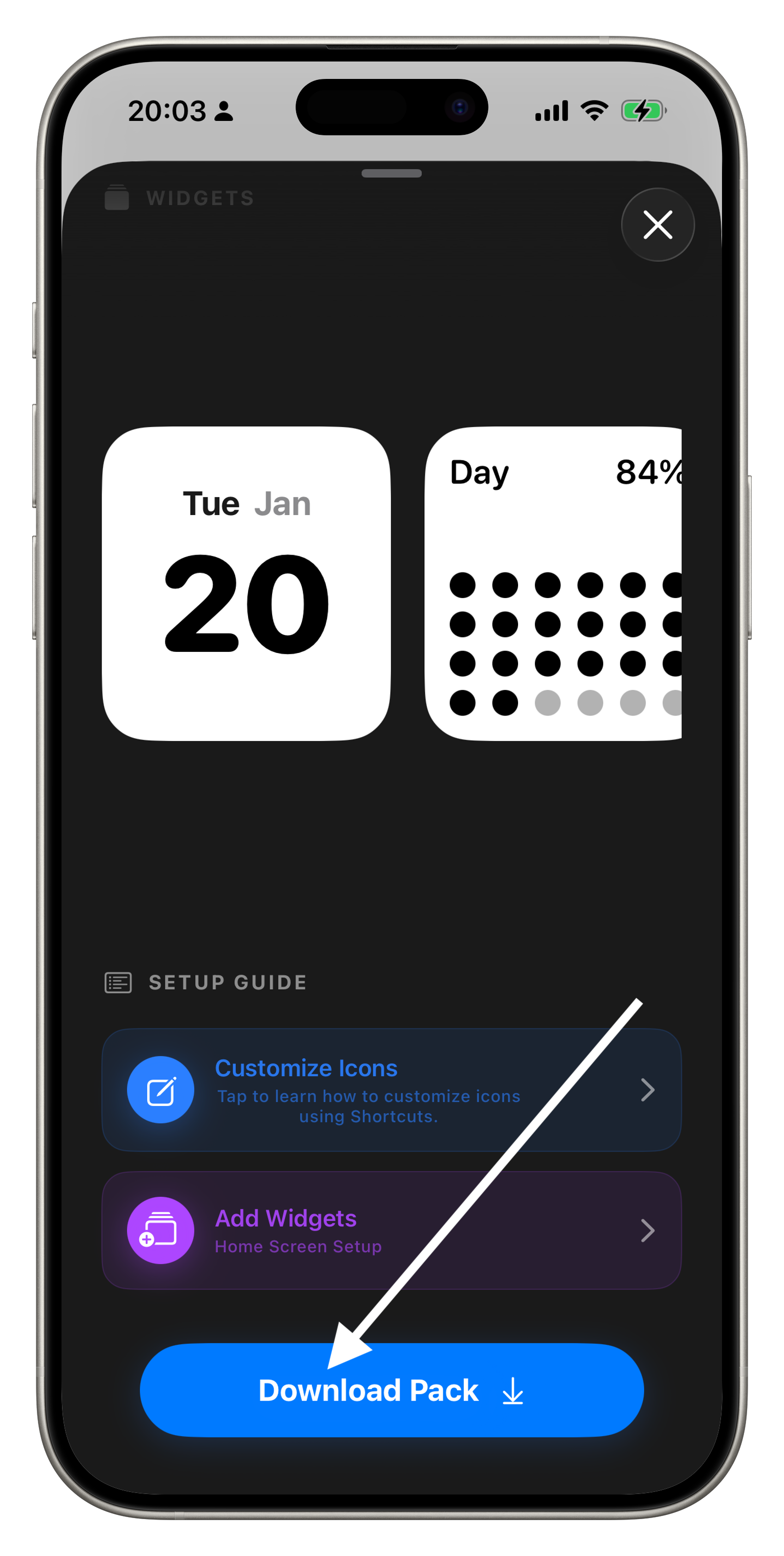
In the minimalist app, select the theme you like, click Download.
-
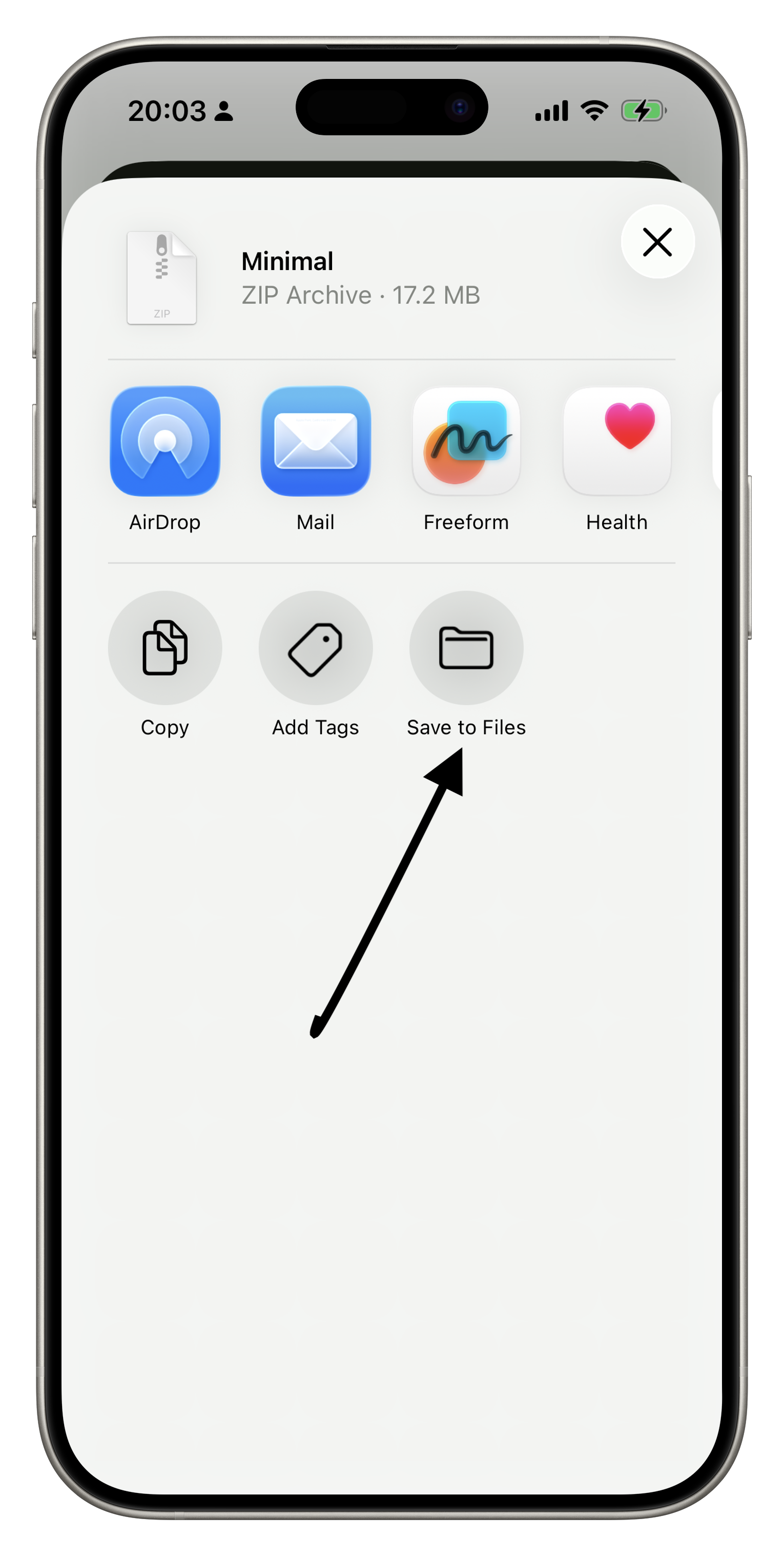
After successful download, a sharing window will pop up—click Save
to Files.
-
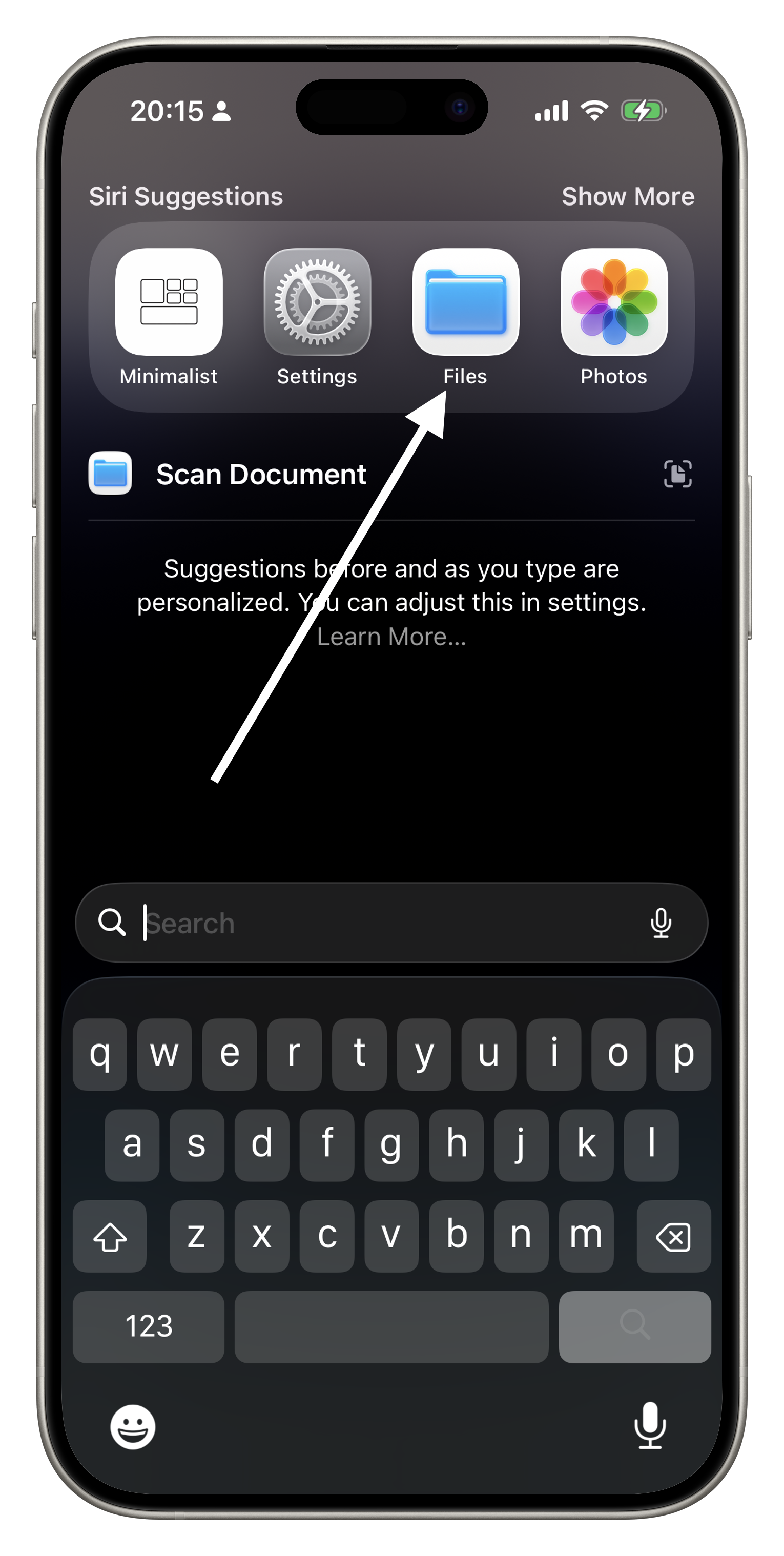
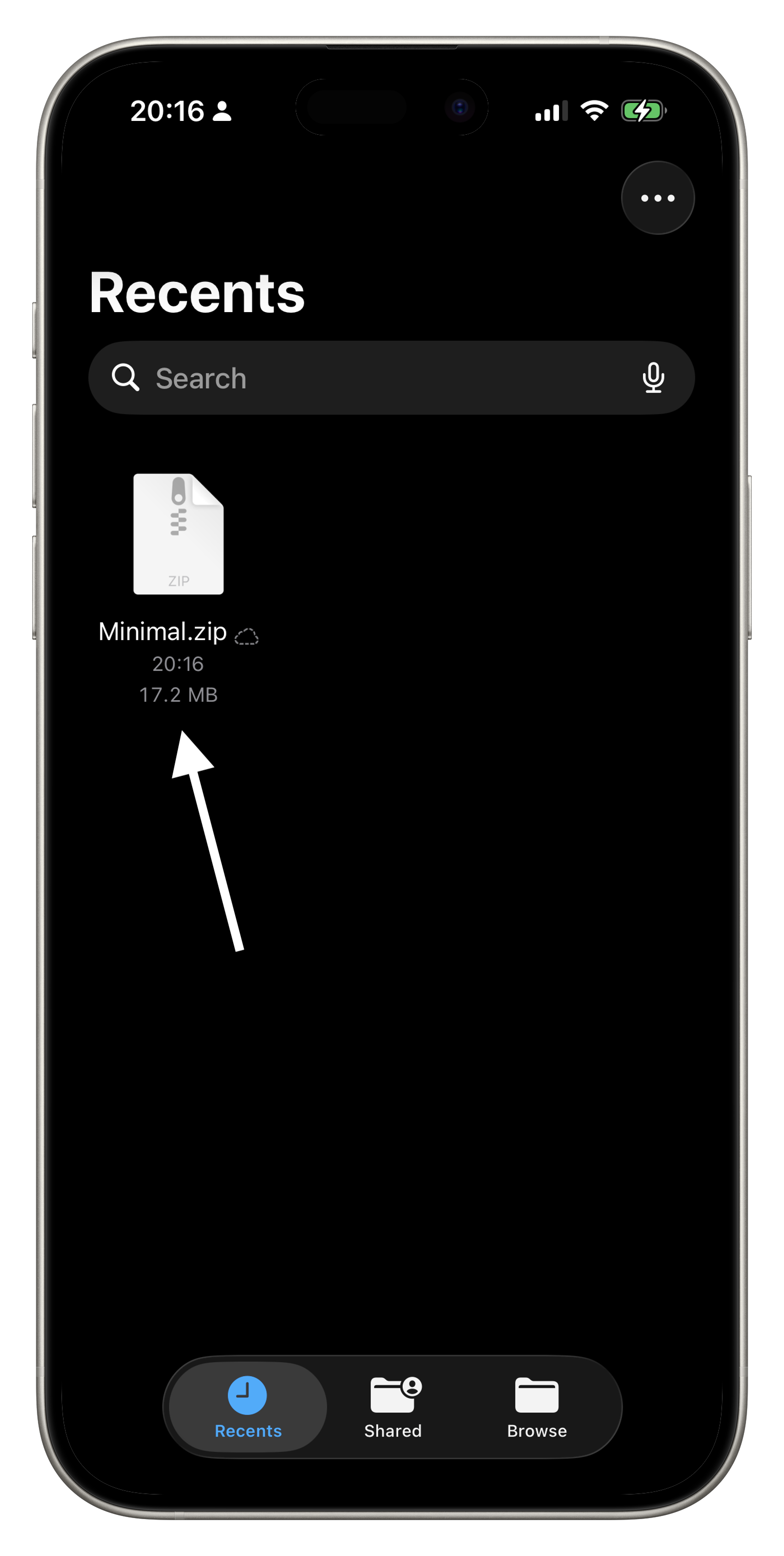
Open the Files app.
-
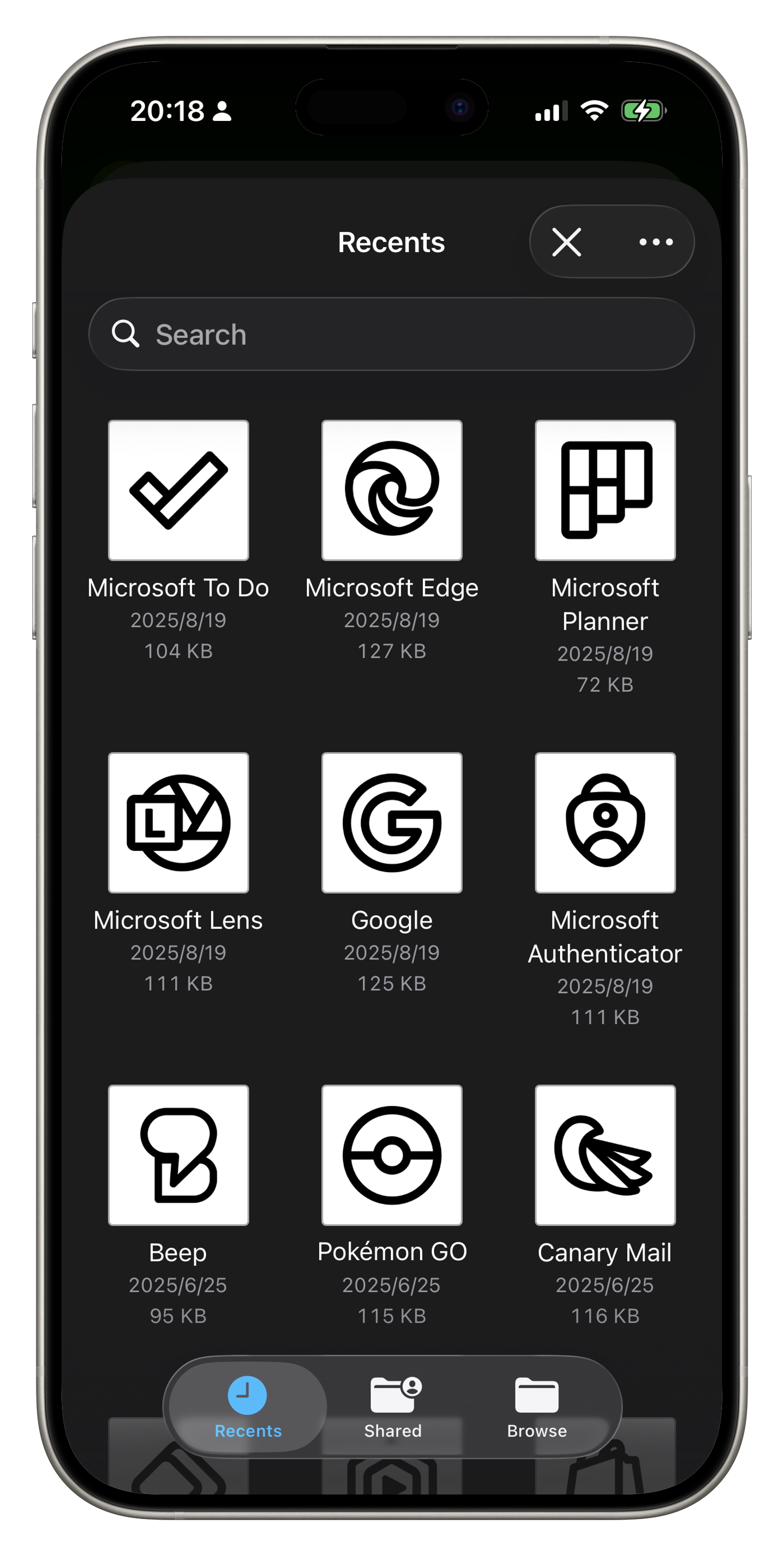
In Recents, you can find the theme file just downloaded—click to
extract it.
Set up custom icons in Shortcuts
-
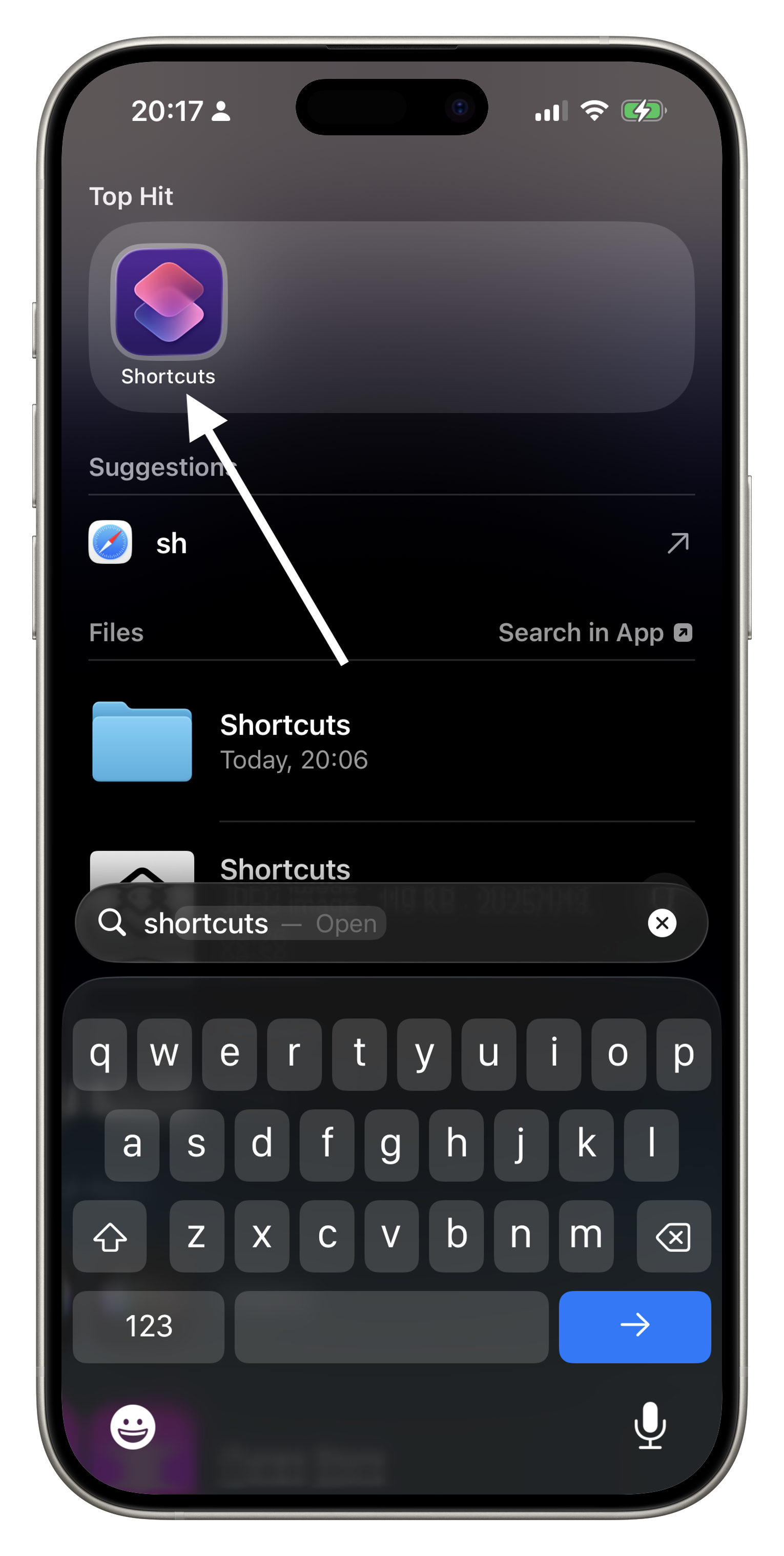
Open Shortcuts.
-
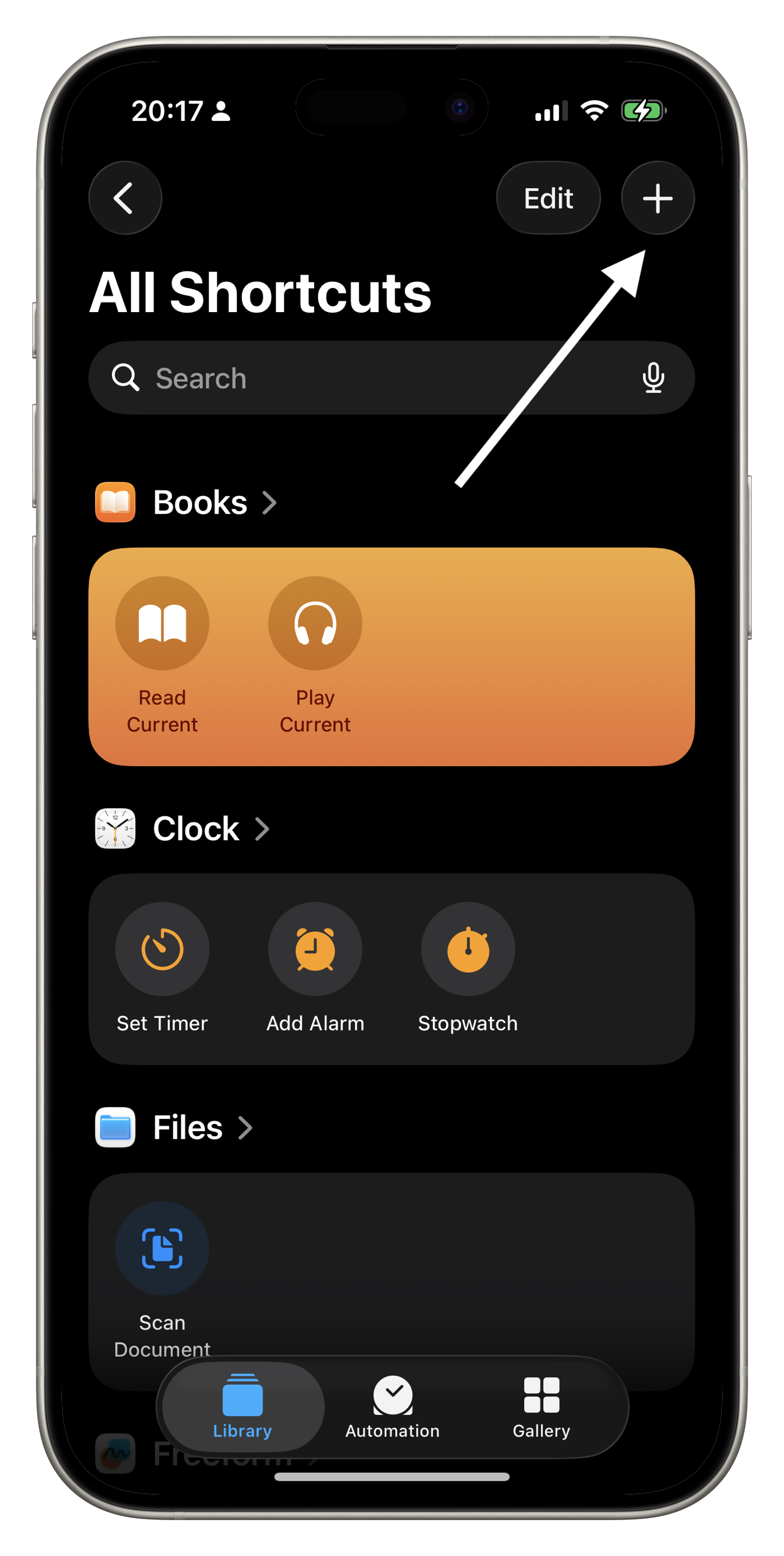
Tap the ➕ icon in the top-right corner to create a new shortcut.
-
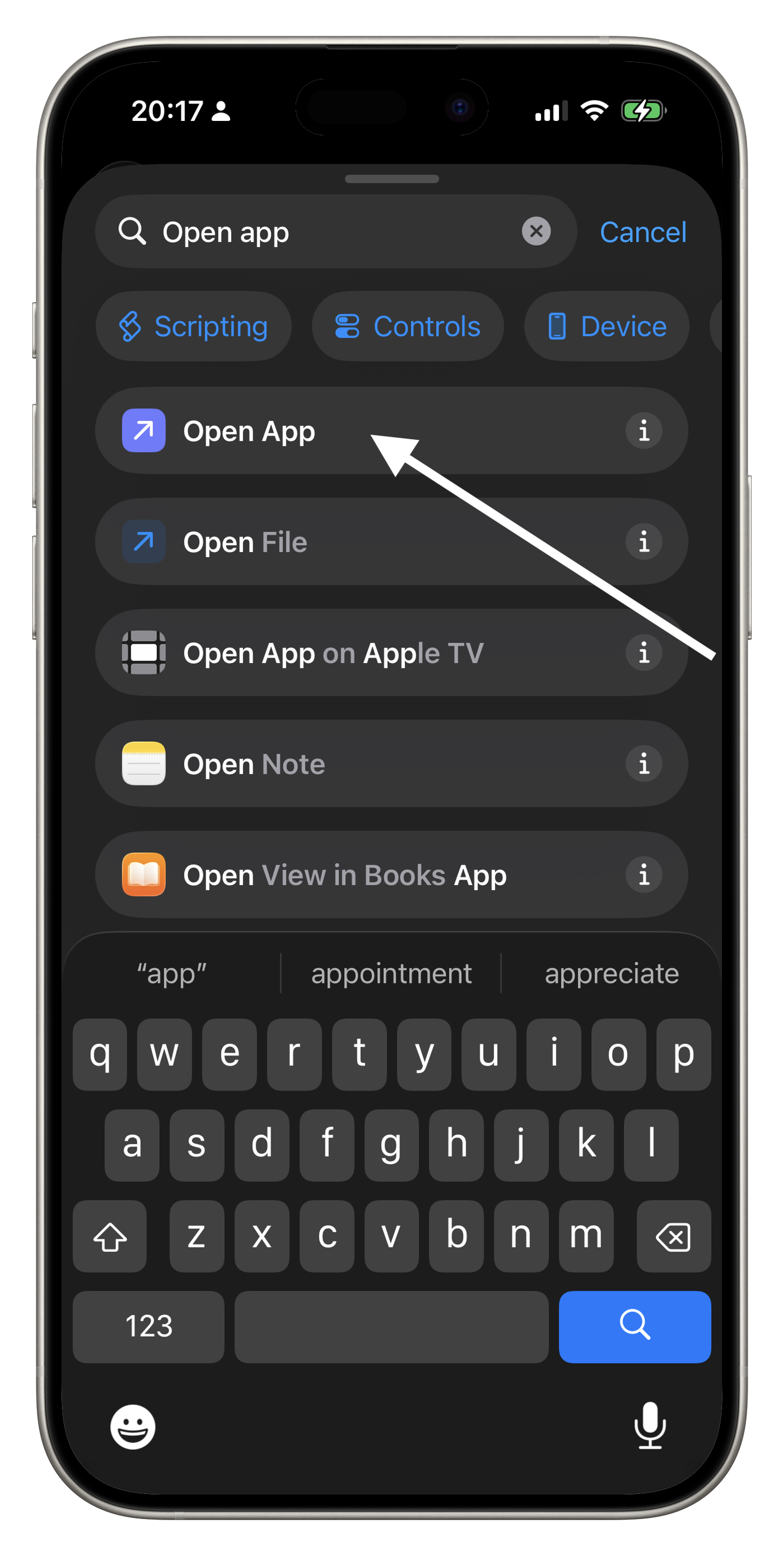
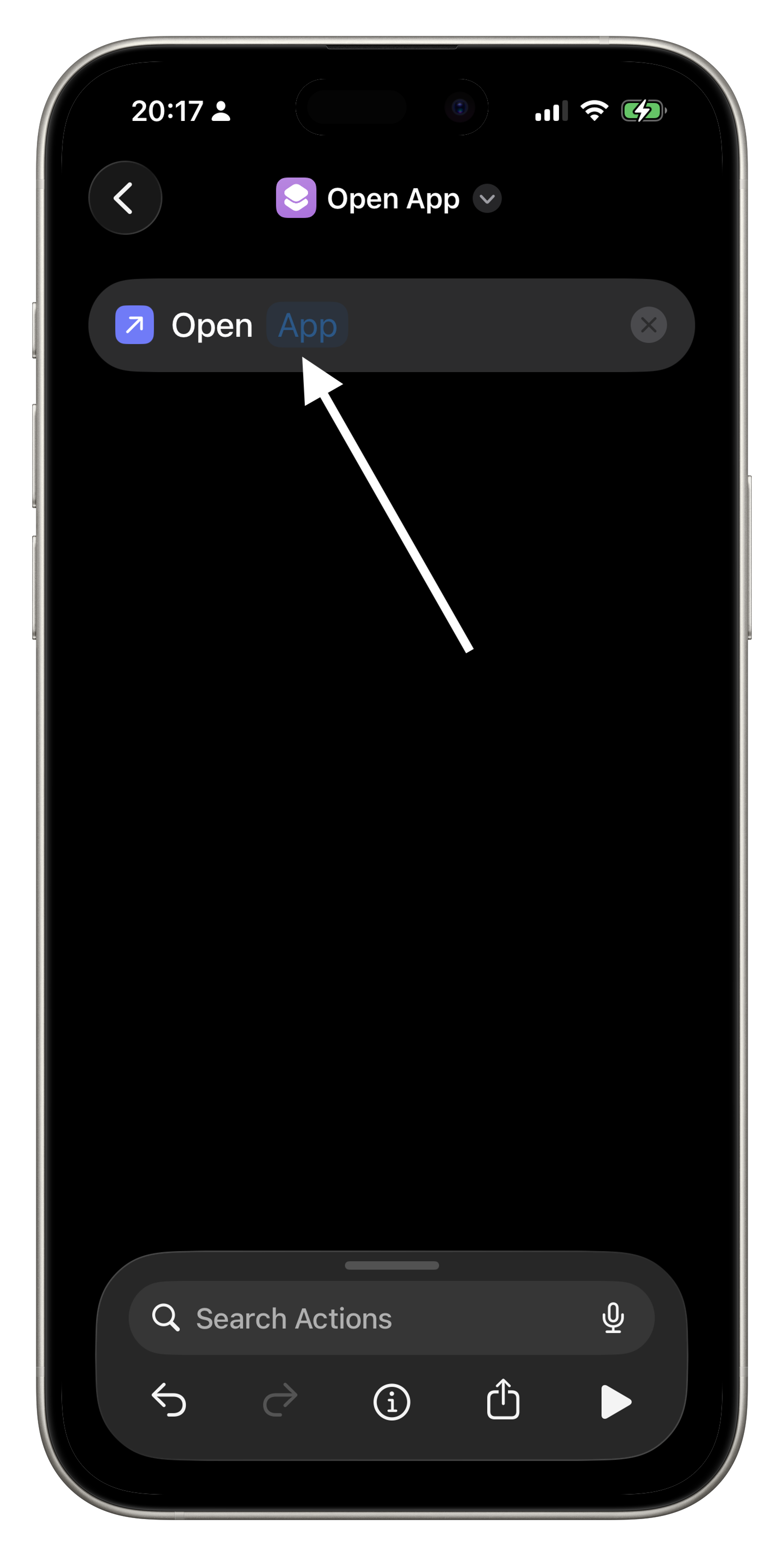
In the search actions bar, search for "Open App."
-
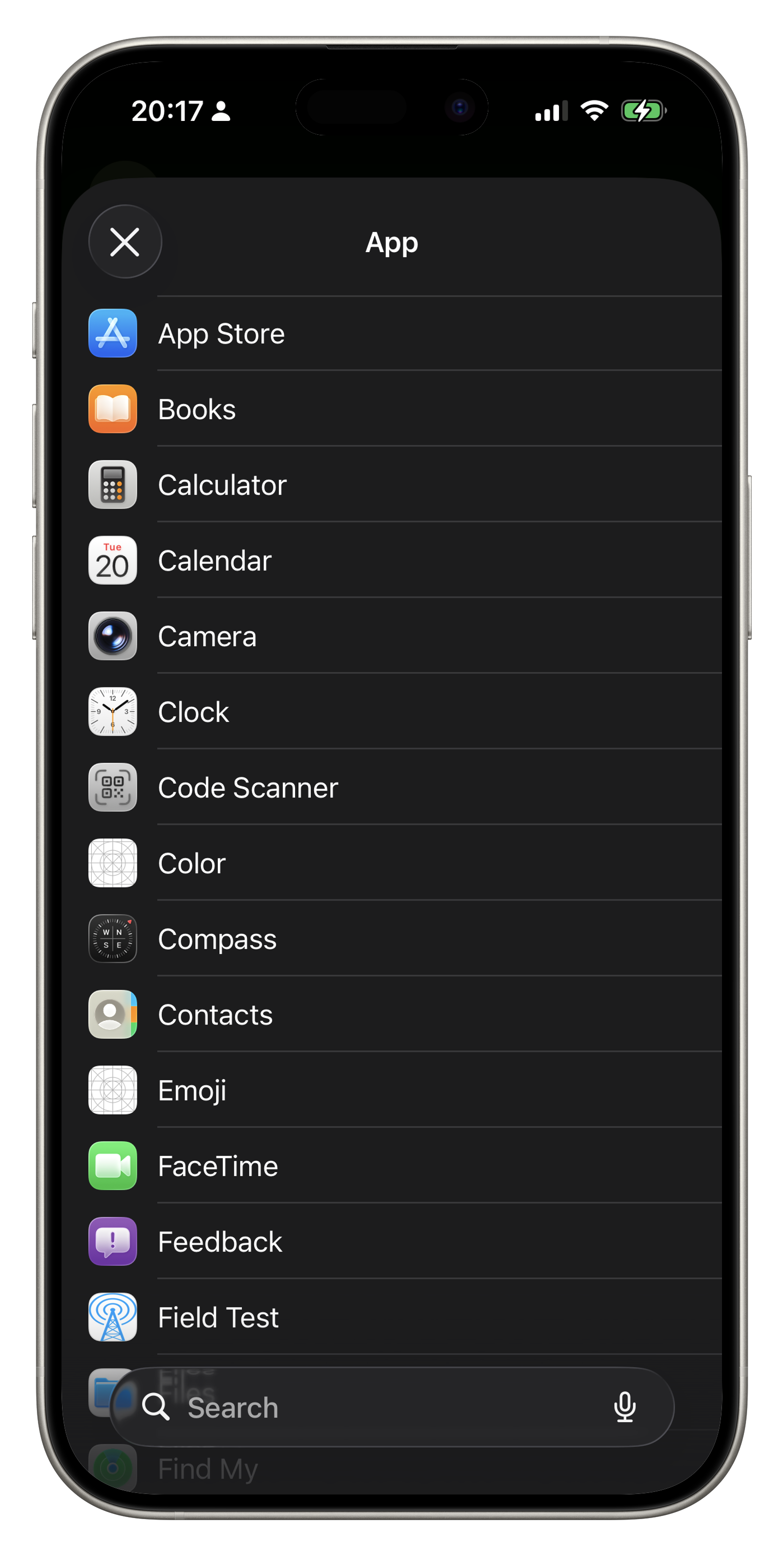
Tap App and select the app you want to replace.
-
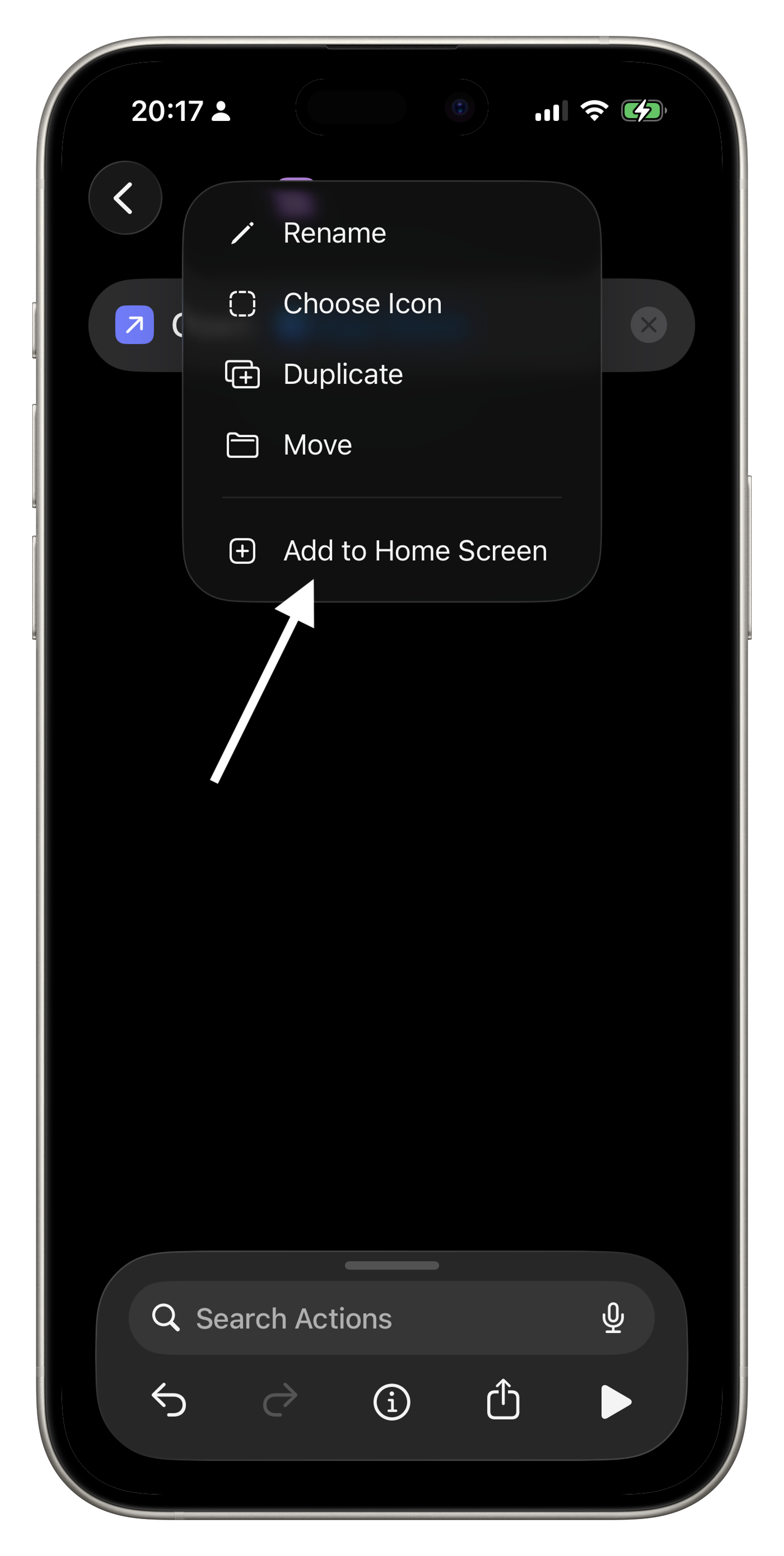
Tap the title at the top to rename the shortcut to the corresponding
app name.
Add shortcuts to the home screen
-
Tap Add to Home Screen.
-
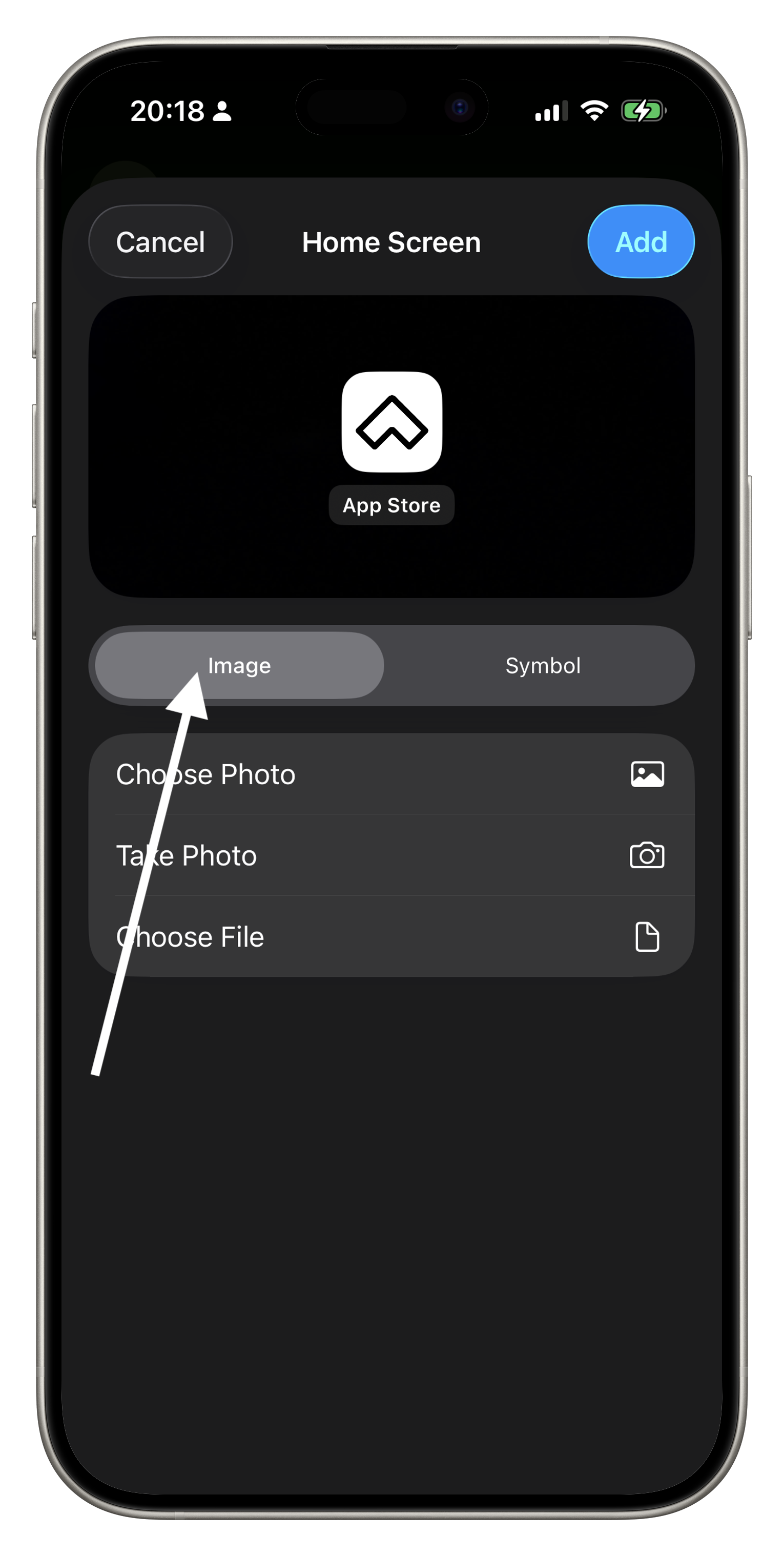
Select "Image" here.
-
Tap Choose File. From the pop-up window, select the extracted theme
folder. Browse the "icons" folder and pick your preferred icon.
-
Tap Add to complete the replacement.