Open an App on Widget Tap
Tutorial
Feature Overview
You can now assign an app to open when tapping a widget.
By selecting an app in the widget editor, tapping the widget will directly open the chosen app.
This is useful if you want to:
- Quickly open frequently used apps
- Use widgets as shortcuts
- Spend less time searching on the Home Screen
How to Use
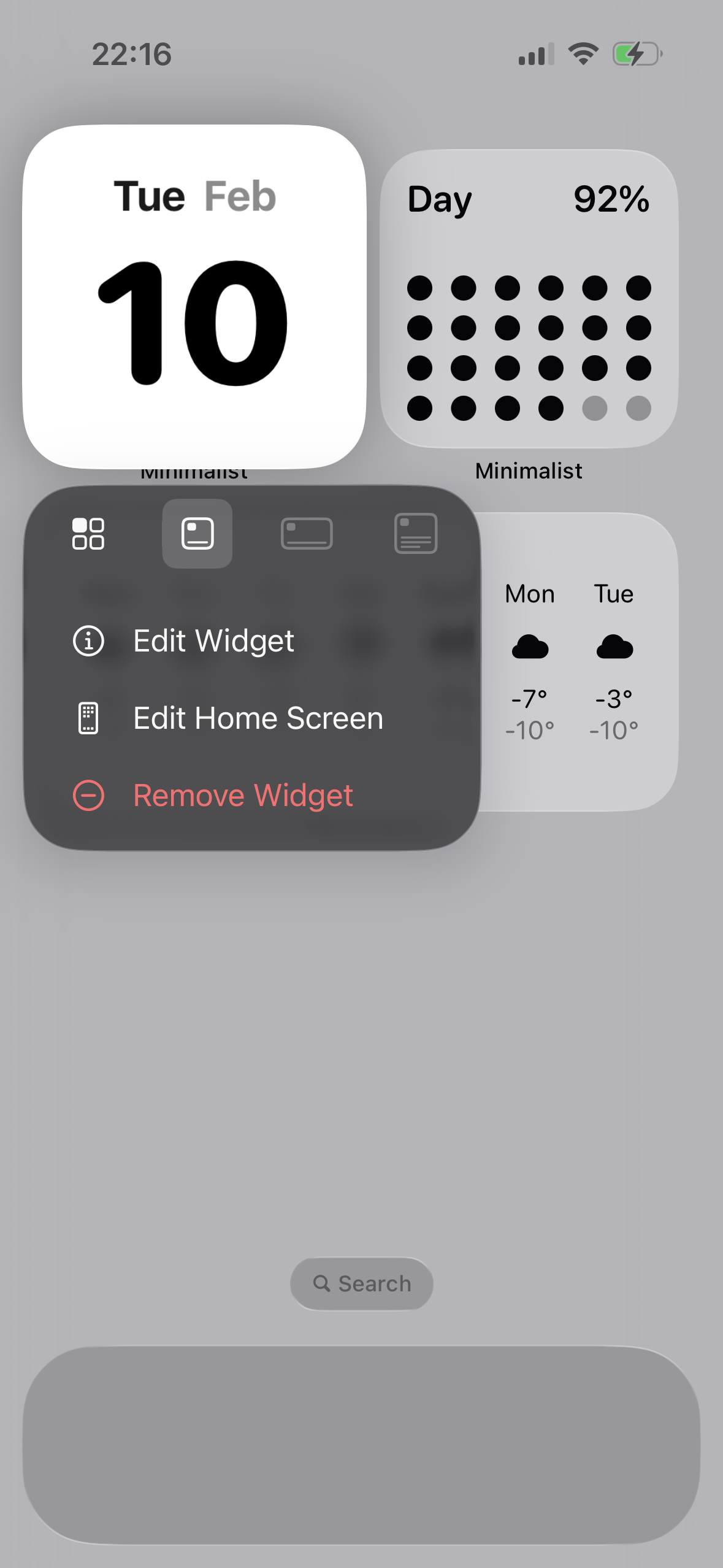
1️⃣ Open the Widget Editor
On the Home Screen, long-press the widget and tap “Edit Widget”.
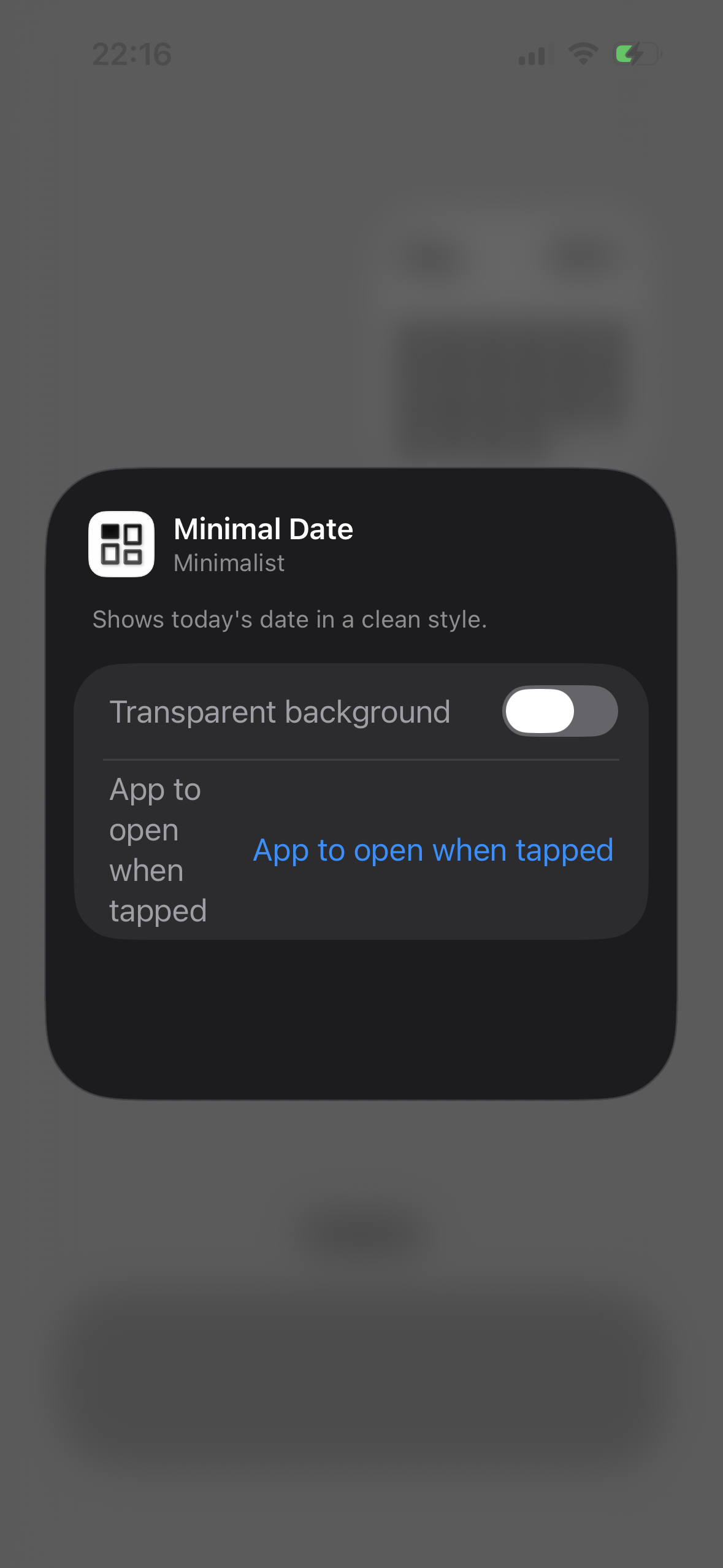
2️⃣ Select “App to Open on Tap”
In the editor, find and tap the “App to Open on Tap” option.
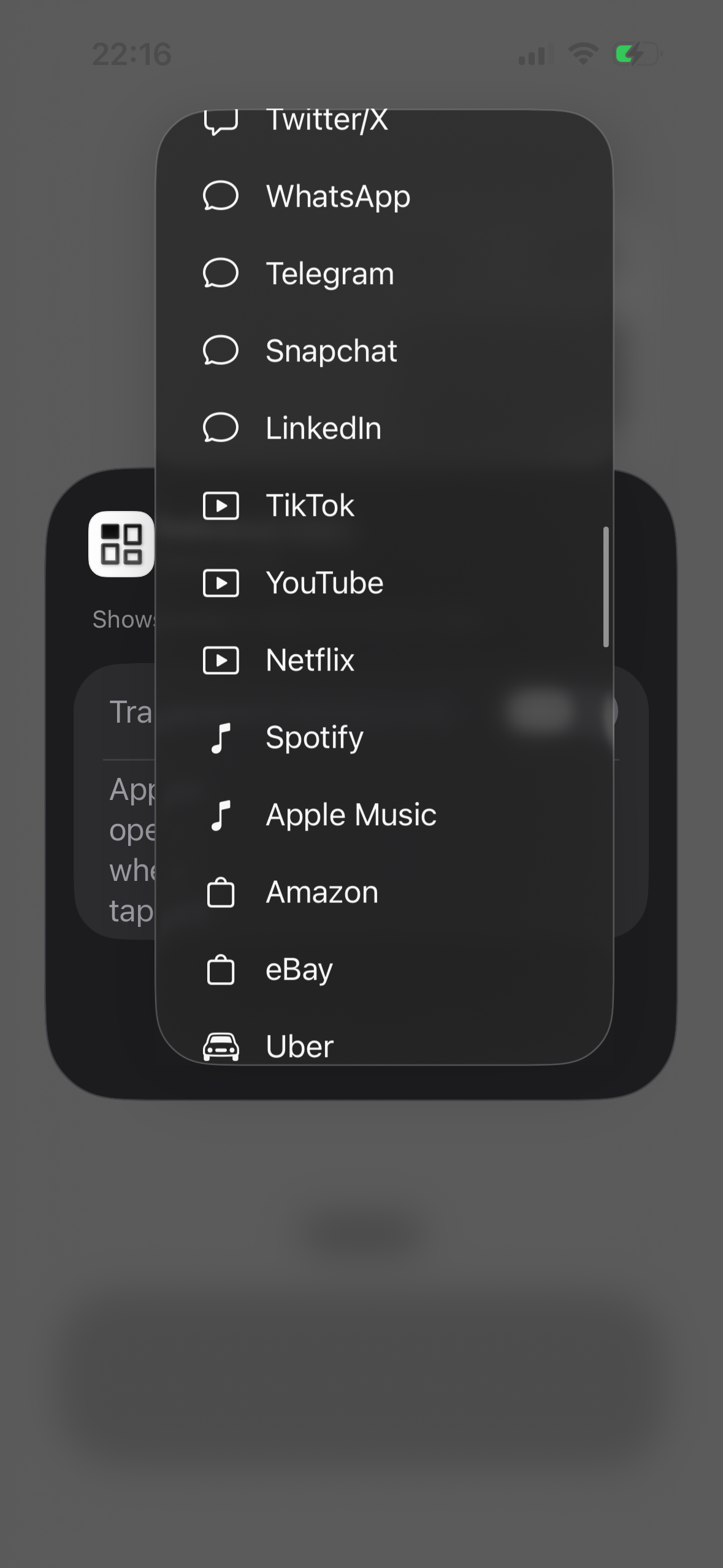
3️⃣ Choose an App
Select the app you want to open when the widget is tapped.
4️⃣ Done
Exit the editor to save your changes. From now on, tapping the widget will open the selected app.
Tips
- Each widget can open a different app
- If no app is selected, the widget keeps its default behavior
- You can change the selected app at any time